Getting Started
Installation
Download, install, and update 3D Print Manager on Windows.
Updated
Downloading and installing
Grab the installer from the download page and run it:
- Fresh install — the app installs and walks you through setting up your library folder.
- Already installed? The installer detects your existing copy and launches the safe updater instead, so your library, database, and settings aren’t touched.
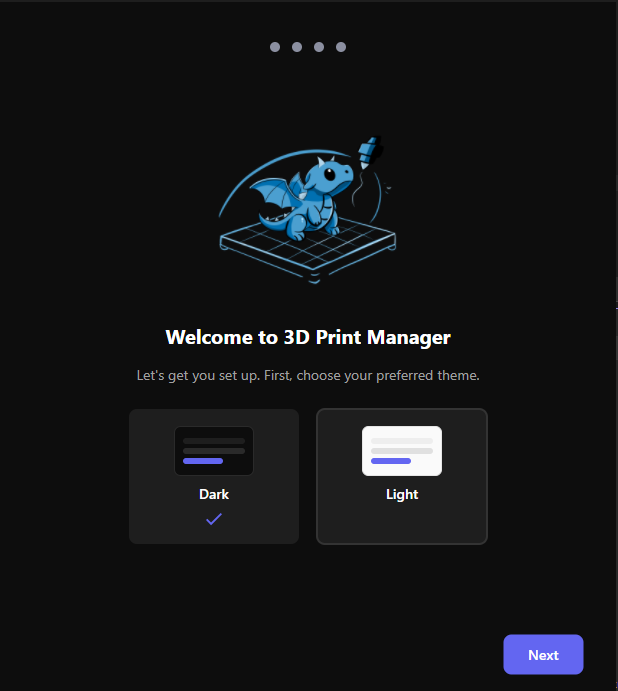
First launch
The setup wizard walks you through a few quick choices:
- Sign in or continue offline. Signing in is required to enable Cloud Library features like backup, sync, and sharing — but it’s entirely optional even after signing in you don’t have to have it enabled, and you can always enable it later. Click Continue Offline to skip it and remain offline.
- Library location. Choose Use the default location (imported files are copied there) or Use my own folder — if you already have your files organized in a folder, point the app at it and everything gets imported. Have multiple drives? You can add more folders from Settings after setup.
- Cloud Library (if you signed in) — choose Enable Cloud Library or Skip for Now. If you’ve used the app before on another machine, you’ll be offered Restore from Cloud.
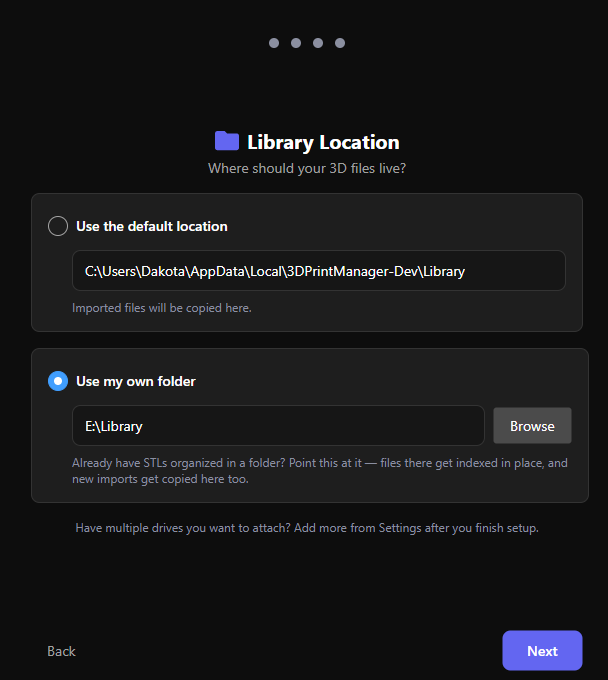
Updates
The app checks for updates automatically. When one is ready, a banner appears at the bottom right corner: “Update available” with an Update Now button. Click it and the app downloads the update and restarts itself.
System requirements
Minimum:
- Windows 10 or 11, 64-bit
- 8 GB RAM
- Any GPU — integrated graphics are fine. The app detects at-risk hardware on first run and automatically sets Graphics compatibility to a safe level.
Recommended for the full experience:
- 16 GB RAM
- SSD for the drive where your library lives (import and search are noticeably snappier)
- A dedicated GPU (GTX 1650-class or better, or a Radeon equivalent) — or a recent-generation integrated GPU (Intel Iris Xe / AMD Radeon 780M class) with a current driver installed
The single biggest stability factor I’ve seen across crash reports is keeping your graphics driver up to date. The interactive 3D previews are also memory-hungry — on an 8 GB machine the large-preview guard will pause previews for very large files more often than on a 16 GB machine, though everything else runs fine.
Questions? Reach out — happy to help.